








Security & Privacy Center
Safeguarding your information.
We take your privacy and security seriously. There are measures we both can take to help keep your information safe.
Our security measures
Privacy & Information Security Policy
This Privacy Policy (“Policy”) explains how GreenStone Farm Credit Services, ACA/FLCA/PCA and its affiliates (“we”, “us”, or “our”) collect, use, and share information about you when you use our website www.greenstonefcs.com (“Site”) and any other websites, mobile applications, and other online services that link to this Policy (collectively, the “Services”). By using the Services, you agree to the collection, use, and sharing of your information as described in this Policy. If you do not agree with our policies and practices, do not use the Services.
We take the protection of personal data very seriously and are committed to safeguarding your privacy. We have implemented appropriate technical, organizational, and physical safeguards to protect your personal data from unauthorized access, use, or disclosure.
Personal Information includes, but is not limited to:
- Account number
- Credit card numbers
- Loan number
- Passwords
- Personal identification numbers (PINs)
- Social Security numbers or tax identification numbers
How we protect you
Multi-layer protections
At GreenStone, protecting your personal and financial information is one of our highest priorities. We use multiple layers of protection to keep your data secure:
- Encryption everywhere
We use TLS (Transport Layer Security) to protect your data during online banking and account access. - Secure messaging
When an email cannot be sent securely, it is automatically routed to our Secure Messaging Portal so you can view it safely. - No sharing without purpose
Your information is only shared with trusted vendors and partners when needed to deliver services, meet legal obligations, or strengthen security. - Continuous monitoring
Our systems, policies, and staff training are designed to detect and prevent fraud attempts before they impact you. - Payee Positive Pay
Protect yourself from fraud through an extra layer of security that ensures peace of mind by verifying payee information prior to your draft being cleared. - Disbursement Card App
Sell all your charges in real-time, set daily spending limits for each card, or shut off a card remotely if needed with the disbursement card app Card Suite Lite.
We’ll never ask
GreenStone will never ask you by email or phone to provide a PIN, account number, Social Security number, username, or password. If you ever receive such a request, contact us directly.
Knowledge & Resources
The GreenStone Story: You’re a few clicks away from convenient, secure banking
Read Article
Customer Confidentiality & Public Record
Read Article
Weeding Out Check Fraud: Protecting your Financial Crops
Read Article
The New Era of Financial Fraud – Deepfakes and AI
Read Article
Wire Fraud and Phishing Scams
Read Article
Scammers and Public Information — Be Informed
Read Article
How to protect yourself
- Pause and Verify Requests
Confirm payment or personal information requests using a trusted phone number, never the contact details in the message. - Use Multi-Factor Authentication (MFA)
Add MFA to your banking, email, and key apps. A password alone isn’t enough. - Keep Devices Secure
Protect devices with strong passwords or biometrics, enable automatic updates, and turn on “find my device” features. - Share Less, Protect More
Limit personal details in social media posts and treat official-looking mailers or calls with caution. - Monitor & Back Up
Set up account alerts, review activity regularly, and back up important files to secure storage.
Additional Security Steps You Can Take to Keep Your Information Safe
- Cross-reference disbursement card app and positive pay
Analyze your disbursement card usage and check draft positive pay and reconcile your running balance. - Place a free fraud alert on your credit file
A no cost fraud alert tells creditors to contact you before they open any new accounts. To place a fraud alert, contact any one of the three major credit bureaus listed below. Once one credit bureau confirms your fraud alert, they will notify the others. - Consider a free security freeze
A security freeze stops credit reporting companies from releasing your credit report without your permission. It must be placed with all three bureaus. You’ll receive a PIN or password to lift the freeze when you’re ready, so store it safely. - Review your credit reports
You can get a free report every 12 months from each bureau. Check for accounts or inquiries you don’t recognize and report any discrepancies directly to the credit bureau.
Call 877-322-8228 or visit annualcreditreport.com for your free credit reports.
Equifax
P.O. Box 105069
Atlanta, GA 30348
800-525-6285
Experian
P.O. Box 2002
Allen, TX 75013
888-397-3742
TransUnion LLC
P.O. Box 2000
Chester, PA 19016
800-680-7289
- Change your passwords regularly
Stay one-step ahead of any scammers and thieves who may have gotten a hold of your information.
Knowledge & Resources
Trust but Verify
Read Article
Patch Your Devices
Read Article
Cybersecurity Tips
Read Article
Family Account and Sharing
Read Article
Five Tips to Secure Your Smartphone Now
Read Article
Common scams to watch out for
Mailers
Scammers will use mailers to pose as companies, government agencies, and charities with the intent to extract your personal information and money. Be aware of phony prize notifications, unsolicited services including loan modifications and warranties. If it sounds too good to be true, it often is. Be aware.
Smishing
Be aware of any unsolicited (SMS) text messages from numbers you do not recognize. Scammers will try to trick you with messages about package deliveries, account issues, or fake prizes. If you don’t know the number, do not respond.
Phishing
A deceptive attempt by scammers who pose as legitimate companies and organizations to steal your personal information for financial gain, identity theft, or to install malware on your phone, tablet, or computer.
Knowledge & Resources
Beyond Email: Advanced Phishing
Read Article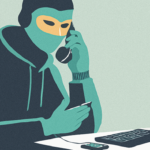
Staying Safe from Wire Fraud: Recognizing Common Scams and Their Traps
Read Article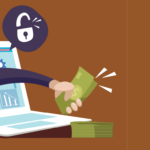
Protecting Your Pocket: Avoid Fraud and Scams when Working with Financial Institutions
Read Article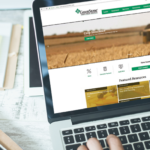
Spotting Phishing Scams: Secure Your Digital Fields
Read Article
Year in Review: Lessons & Threats
Read Article
Scammers and Public Information — Be Informed
Read Article Reporting suspicious activity
If you do find suspicious activity or have reason to believe your information is being misused:
- File a police report and keep a copy for creditors
- File a complaint with the FTC. Your case will be added to the FTC’s Identity Theft Clearinghouse for law enforcement use.
- ftc.gov/idtheft | 877-IDTHEFT (877-438-4338)
- Contact your GreenStone branch to provide notice of potential activity.
We’re here to help.
With locations across Michigan and northeast Wisconsin, we’re here when you’re ready to talk.